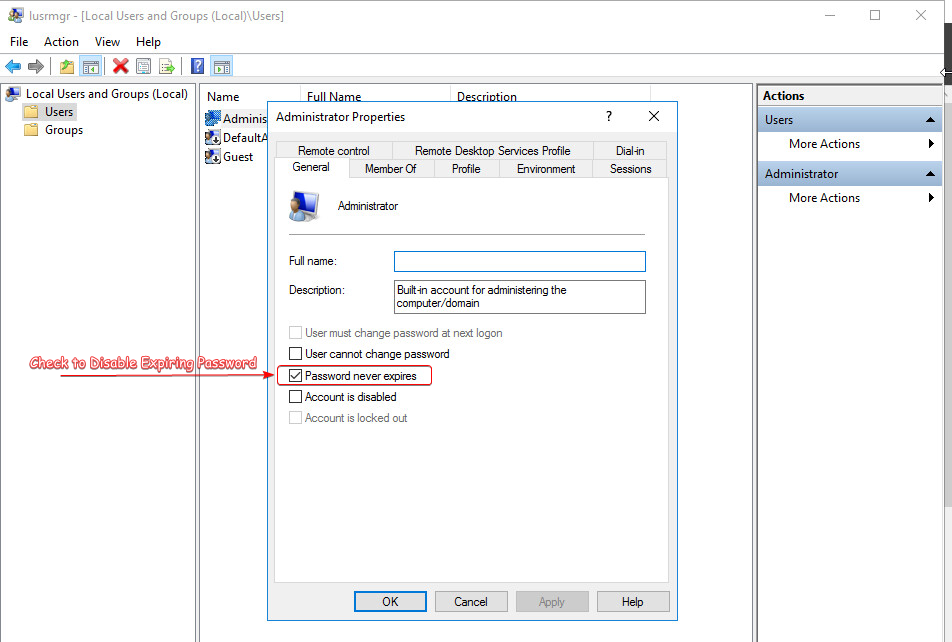
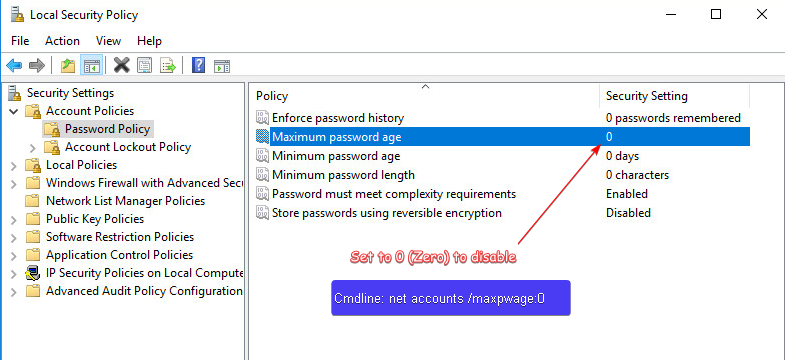
By default, windows server has a max password age = 42 days which requires a new password every 42 days.
For internal server this can be a pain...

Run the following two terminal commands to disable:
1. <strong>wmic UserAccount where Name='Administrator' set PasswordExpires=False</strong>
2. <strong>net accounts /maxpwage:0</strong>

By default, item 1 is likely already set, but it's good practice to verify.

<strong>Note:</strong> This should <strong>NOT</strong> be done for production server.
<strong>wmic UserAccount where Name='Administrator' get PasswordExpires</strong>
PasswordExpires
FALSE
------------------------------------------
<strong>net accouints | findstr Max</strong>
Maximum password age (days): Unlimited
This website stores cookies on your computer.
These cookies are used to provide a more personalized experience and to track your whereabouts around our website in compliance with the European General Data Protection Regulation.
If you decide to to opt-out of any future tracking, a cookie will be setup in your browser to remember this choice for one year.