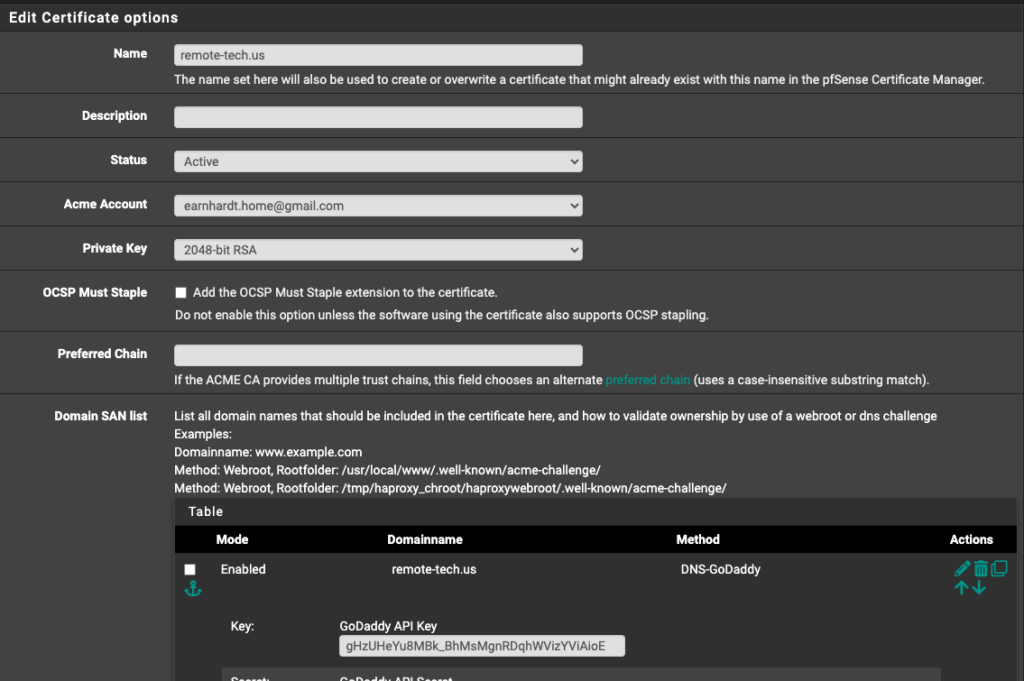
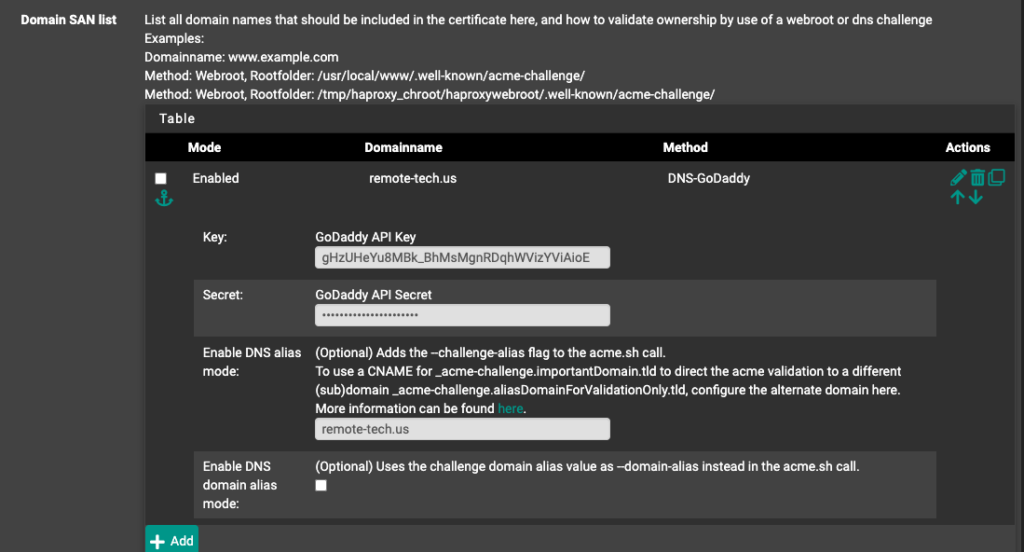
The first thing to do is create a Go-Daddy API and Secret for the pfSense ACME configuration. It took a while to locate
The first thing to do is create a Go-Daddy API and Secret for the pfSense ACME configuration. It took a while to locate
The first thing to do is create a Go-Daddy API and Secret for the pfSense ACME configuration. I could never locate using Go-Daddy portal, so it took a while to locate following:
Note: The Acme Account is NOT related to Go-Daddy As it’s the account used to register with Let’s Encrypt
Enter the Go-Daddy API Key and Secret and save.
Note: Once saved, click the “Issue/Renew” button
Note: Once gear stops turning, scroll to top and review results. Look for ‘Reload success’ towards the bottom, and once screen has refreshed, verify a current date for ‘Last Renewed’
This website stores cookies on your computer.
These cookies are used to provide a more personalized experience and to track your whereabouts around our website in compliance with the European General Data Protection Regulation.
If you decide to to opt-out of any future tracking, a cookie will be setup in your browser to remember this choice for one year.