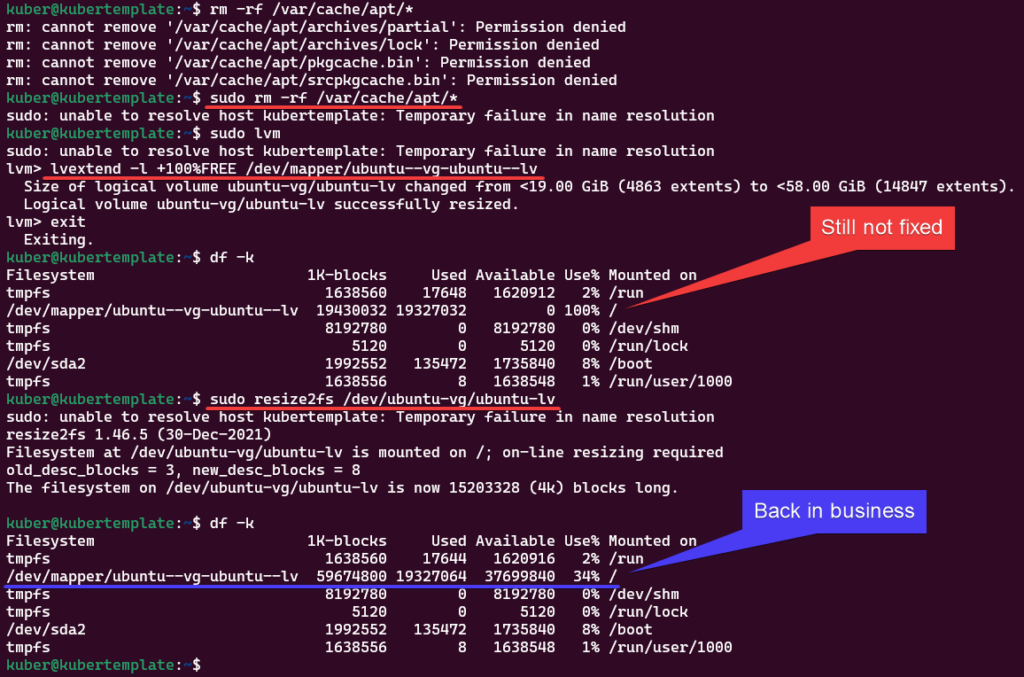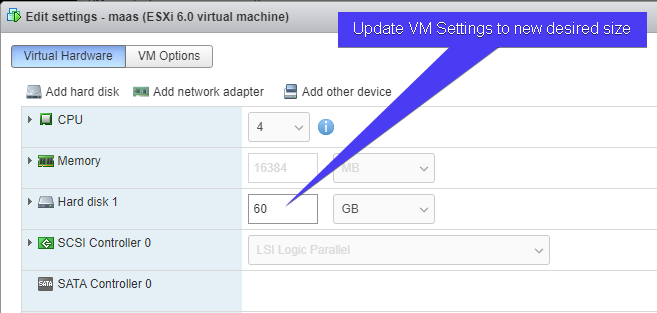
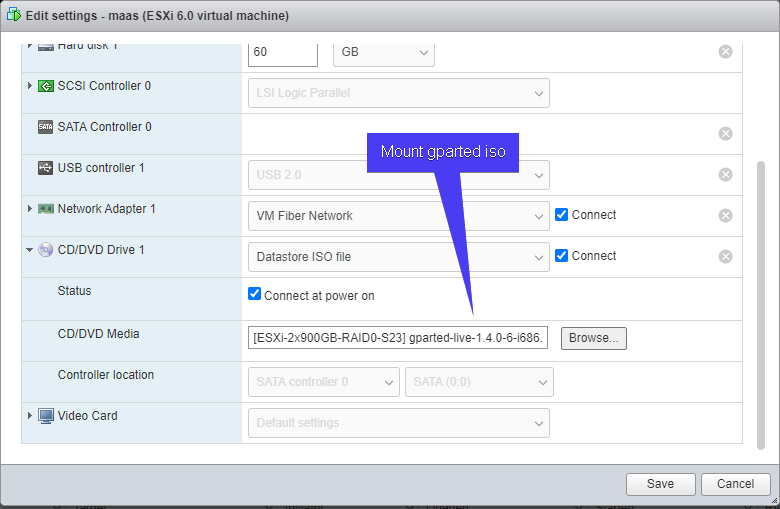
Ubuntu: No space left on device

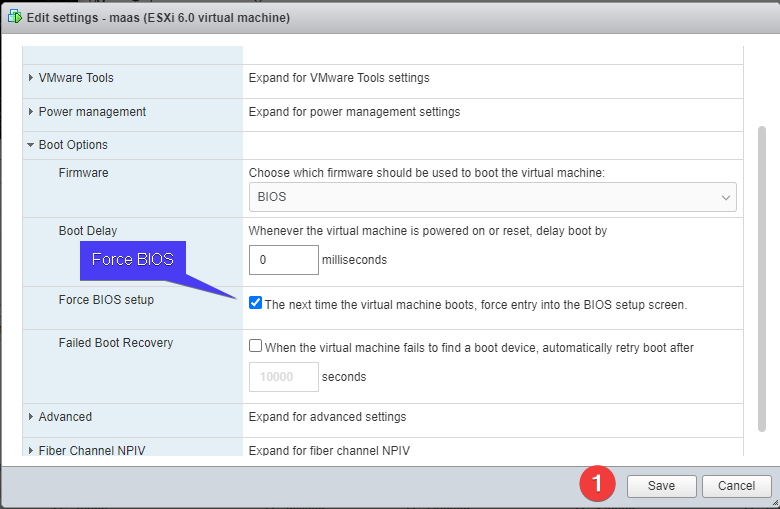
‘Force BIOS’ will boot VM into BIOS, verify boot order has CD-ROM 1st, then exit / save if necessary
(Yes to start GParted automatically)
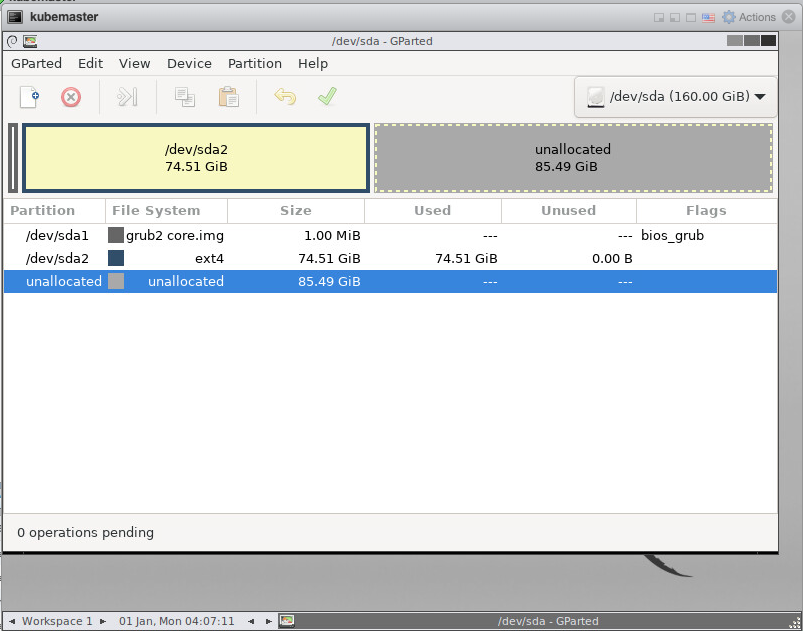
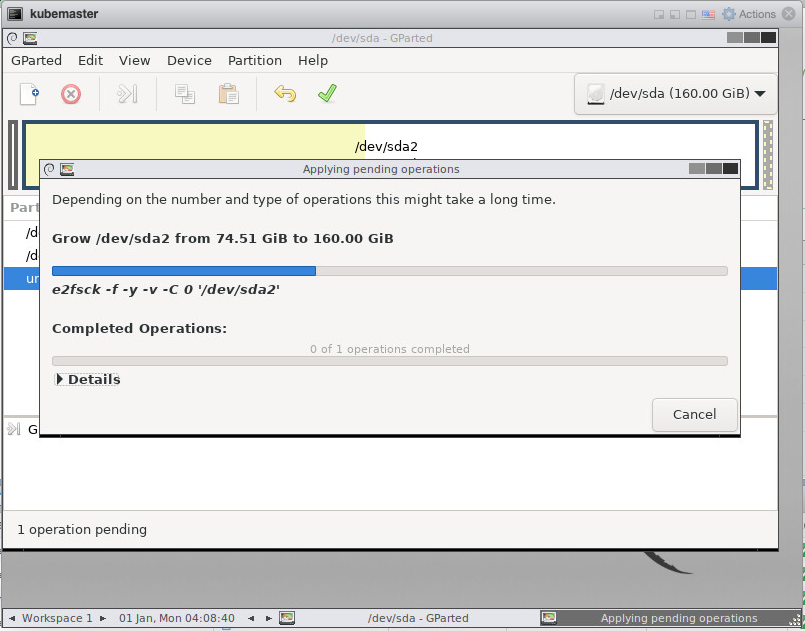
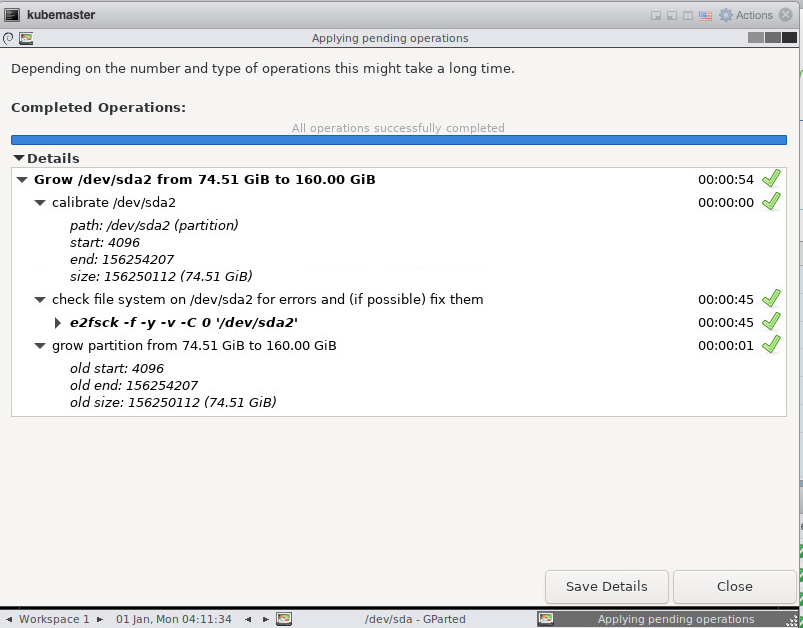
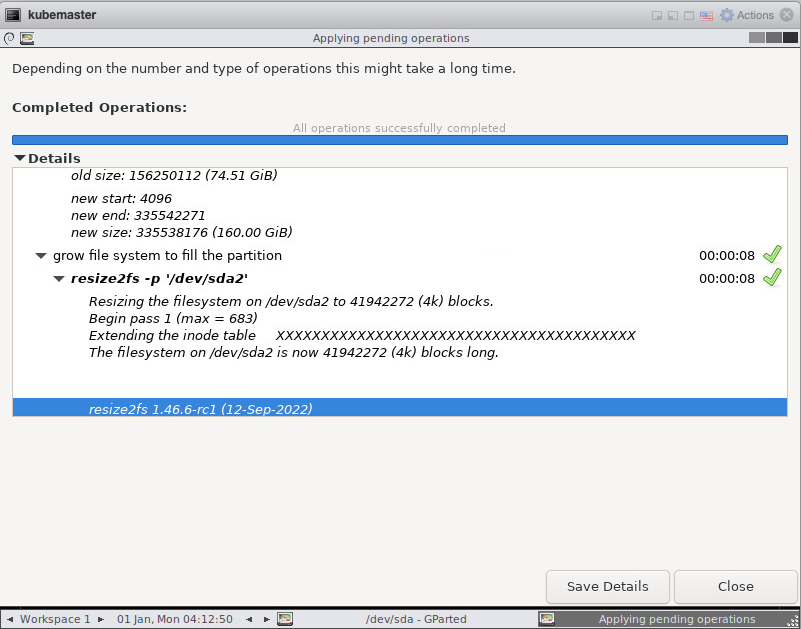
Double click partition you want to extend and adjust ‘Free space’ and click ‘Resize/Move’
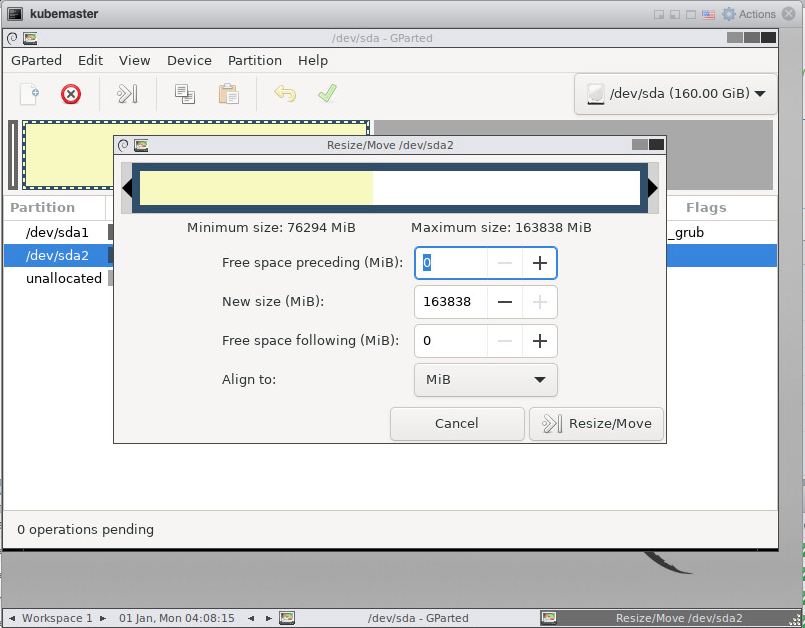
Update VM Settings to remove ‘Force BIOS’ and unmount GParted CD-ROM, then reboot VM.

Leave a Reply

This website stores cookies on your computer. These cookies are used to provide a more personalized experience and to track your whereabouts around our website in compliance with the European General Data Protection Regulation. If you decide to to opt-out of any future tracking, a cookie will be setup in your browser to remember this choice for one year.

Accept or Deny